
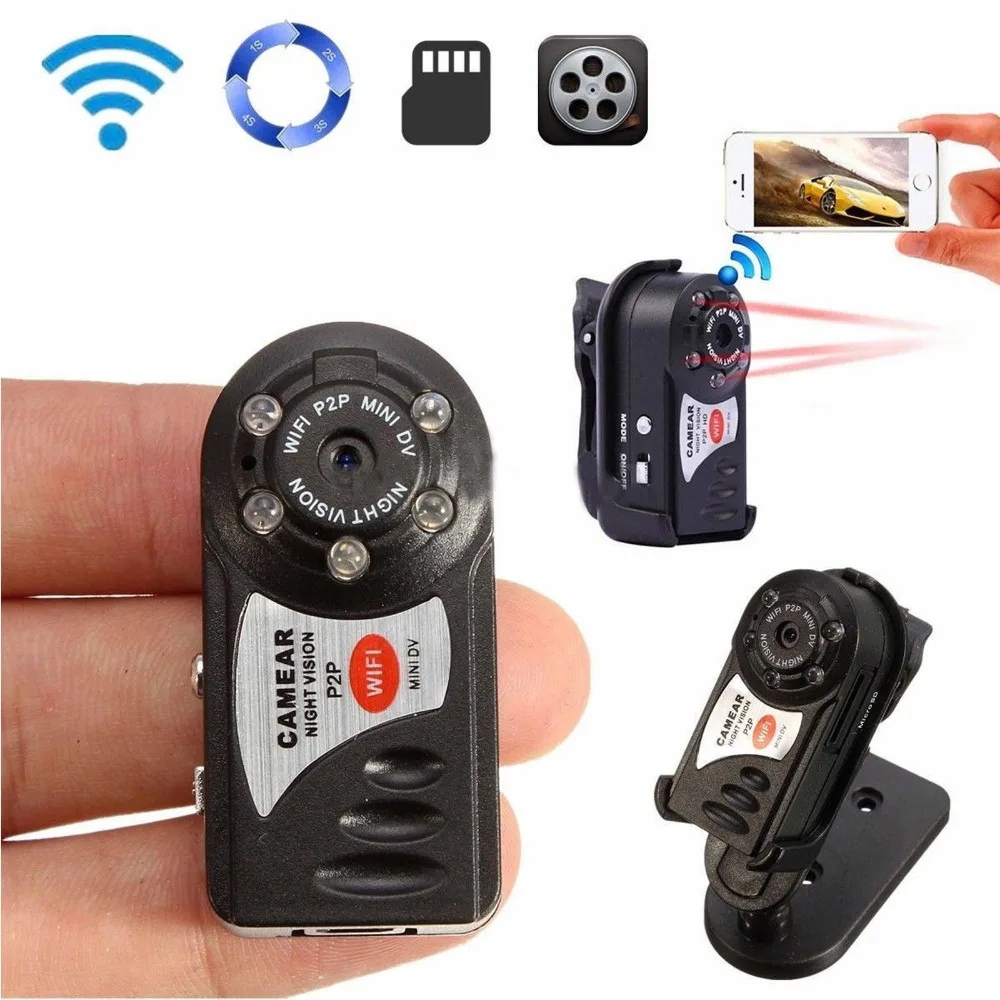
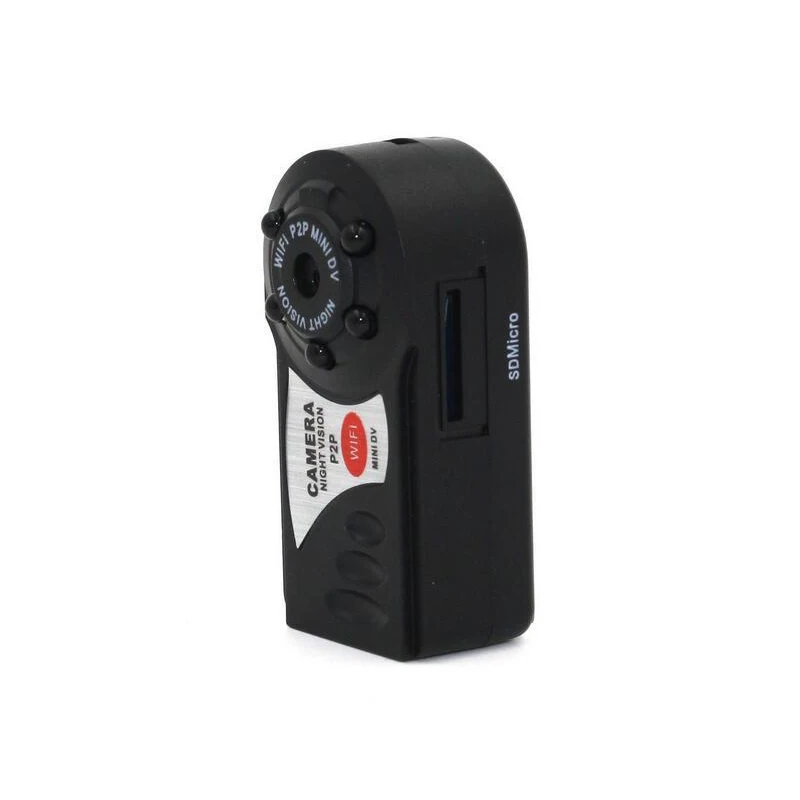
Mini DV DVR Q7 Камеры 720 P Wi Fi P2P Беспроводная IP КАМЕРА Cam Новый Видео Мини Видеокамеры
Сохраните в закладки:
История цены
*История изменения цены! Указанная стоимость возможно, уже изменилось. Проверить текущую цену - >
| Месяц | Минимальная цена | Макс. стоимость | Цена |
|---|---|---|---|
| Feb-23-2026 | 2216.0 руб. | 2260.53 руб. | 2238 руб. |
| Jan-23-2026 | 1797.84 руб. | 1833.81 руб. | 1815 руб. |
| Dec-23-2025 | 2181.14 руб. | 2225.17 руб. | 2203 руб. |
| Nov-23-2025 | 2164.29 руб. | 2207.7 руб. | 2185.5 руб. |
| Oct-23-2025 | 1728.13 руб. | 1763.34 руб. | 1745.5 руб. |
| Sep-23-2025 | 2129.49 руб. | 2172.74 руб. | 2150.5 руб. |
| Aug-23-2025 | 2111.52 руб. | 2153.6 руб. | 2132 руб. |
| Jul-23-2025 | 2094.66 руб. | 2136.16 руб. | 2115 руб. |
Новые товары

5 шт./лот детское нижнее белье с рисунком короны для девочек трусики
Кемпинг Коврик Складной Спальный Матрас для пикника Водонепроницаемый

3 шт. Calcinha infantilмультфильм нижнее белье для мальчиков мягкие дышащие трусы-боксеры
HDMI VGA AV FPV плата Контроллера с 7 inch 39pin LD1 N070ICG 1280x800 IPS жк-панель для малины | Мать и

Women Girls Underwear Sexy Lace Cotton Panties Ladies Adjust Thin Hollow Thong Low Waist Transparent Briefs Free Shipping | Мать и

2 шт. детское хлопковое нижнее белье короткие трусы-боксеры для мальчиков

4pcs/lot boys cotton Underwear Underpants super kids Cotton Panties male Under wear briefs | Мать и ребенок

La MaxPa winter new arrival fashion women thicken down jacket coat female padded warm parkas one size UV1689 | Мать и ребенок
Характеристики
Mini DV DVR Q7 Камеры 720 P Wi Fi P2P Беспроводная IP КАМЕРА Cam Новый Видео Мини Видеокамеры
Описание товара
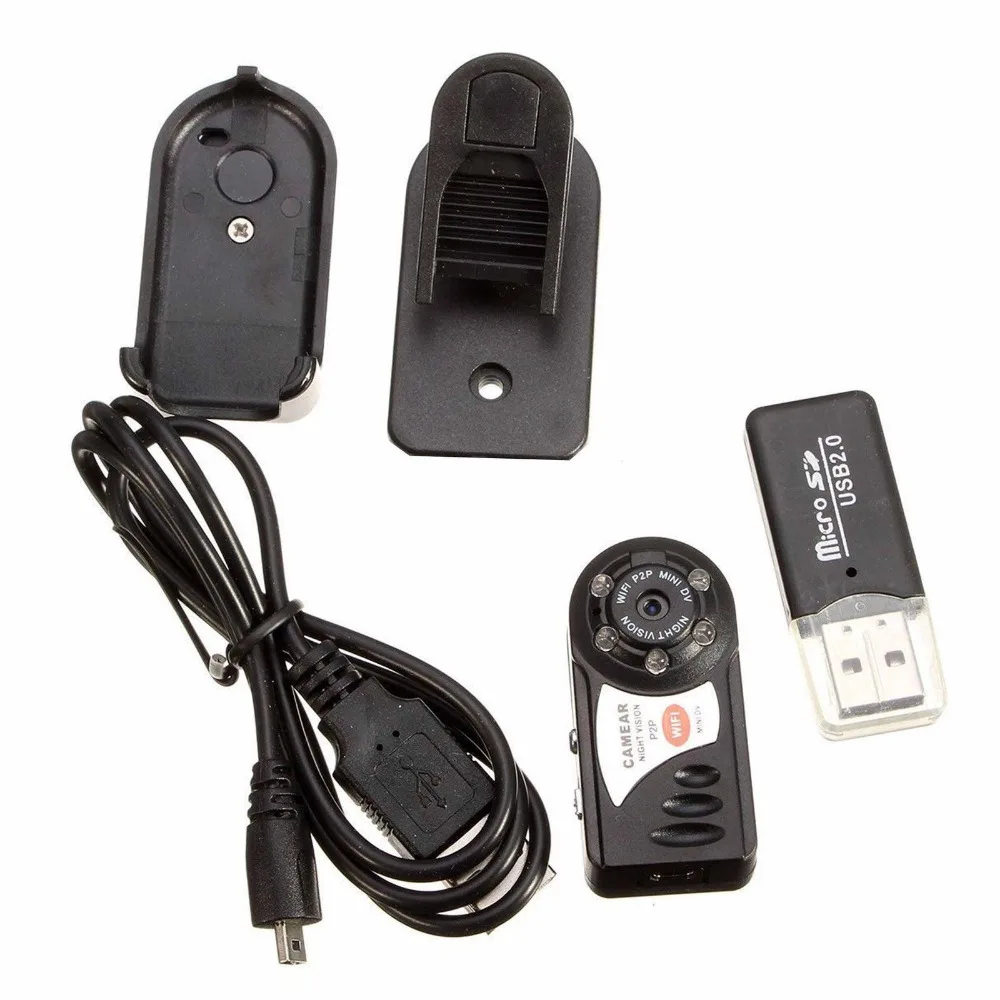
Mini Q7 Camera 720P Wifi P2P DV DVR Wireless IP Cam New Video Mini Camcorder Recorder Infrared Night Vision Small Camera
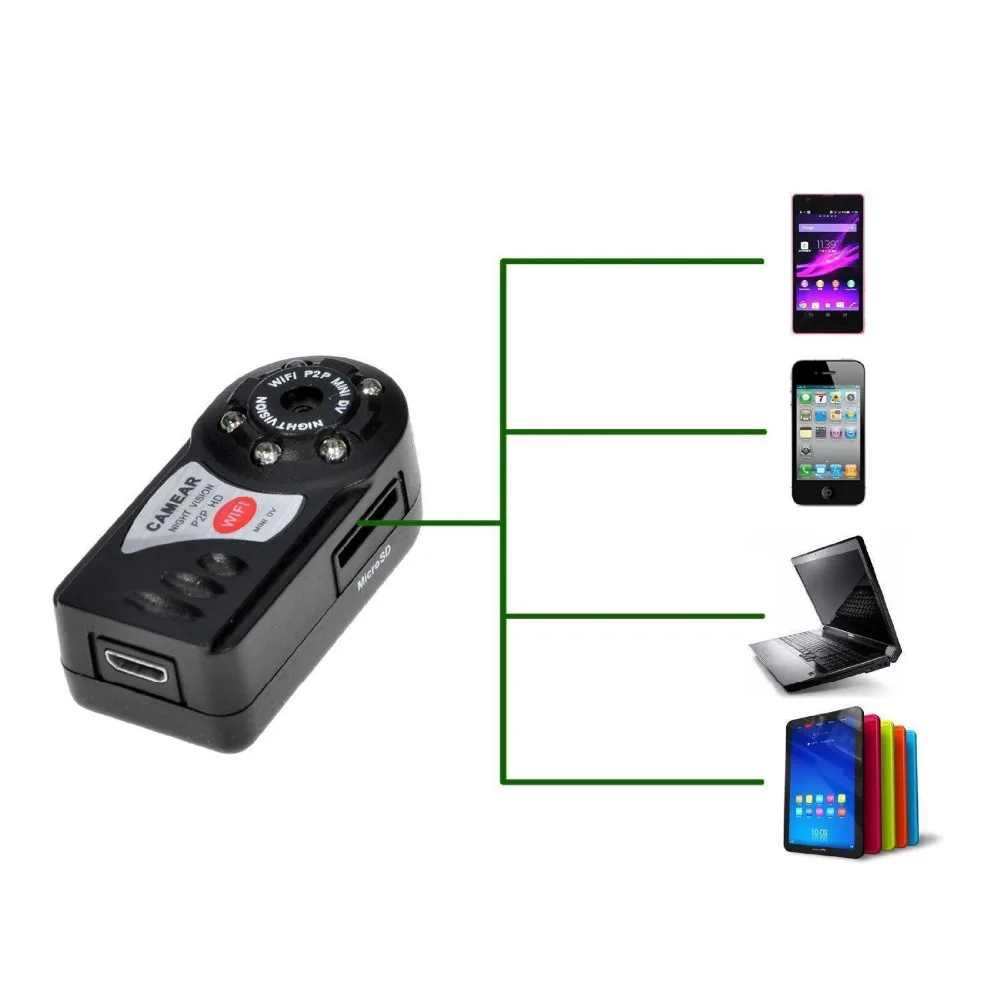
Features: 1. AP mode, 2. WiFi mode 3. Mini CAMERA SIZE 4. Support remote viewing online by pc, phone, pad and android phone 5. 5 LED IR night vision 6. Updatest point-to-point wifi technology. 7. Supports iOS/ Android phones point-to- point monitoring 8. Support iOS/ Android phones Internet monitoring 9. 24hours continuous recording with TF card 10. Support up to 32gb TF card (Not included any TF Card) 10.support P2P Specification: The name of the WIFI/P2P network camera AVI video format M- JPEG video coding Remote video resolution 640*480 VGA Network transmission resolution 320*240 QVGA Video frame rate of 15fps + 1fps 1/3" color CMOS sensor; Antenna 2.4G 802.11n WIFI built-in antenna Storage support TF card, can be extended to 32G Playing with or mainstream audio and video playback software operating system Image ratio 4:3 Support system Windows ISO Android Charging voltage DC-5V Micro SD Card memory support (TF Card) Battery type high capacity polymer lithium battery
Item Pictures:
![3551486896_687920133]()
![3551495607_687920133]()
![3552604189_687920133]()
FAQ If you got the problem of Q7 wifi signal is not visible ? You have to connect your phone to the wifi that the ipcam is connected before.. from there you can access the local camera, switch off the wifi in the local camera options and reboot the ip cam, then it will start to transmit its wifi signal again What the reason for joining the network failed ? 1, the router account password input error 2, TF card exception, please format 3, the router has not restarted for too long 4, as close as possible to the router, get the best viewing results How to use it ? Please follow the steps below to use,hope you use this camera smoothly. 1.Due to the long time transport,the camera's battery will runs low,please charging 2-3 hours before using. (you will see the indicator lamp’s on when successfully turning on the camera.) 2.Scan the QR code for ios device on the box you got,or search '9527' in app store to download the app which is matched for the Q7 camera. 3.Connect Q7 camera For ipad: ‘Q7’ will shows up in your wifi list about 30 seconds after you turn on your camera, click it and enter password of ‘12345678’, it should be successfully connected. 4.Then you can use your ipad point-to-point wifi to watch the video: open the app that you have downloaded, click 'lan', and you will see your camera id, click it ,begin to watch the video. 5.Also you can set the P2P(remote) internet to watch the real-time video:open the app,find ‘wireless network setting’ in your camera list, input your local wifi name and password, then restart the camera and also pull the plug out if you are charging. Open the app again, click 'WALN', enter the id and passward of your camera, then you will can remote review the video. when insert the TF Card? you should know We suggest that do not keep the TF Card inside the camera when charging ,if the camera have TF Card inside ,it will automatically enter the video mode and start to video.Short press the reset button once, Q7 will stop recording and save the video, Video files to 5 minutes for a cycle, save a section and cycle camera, When the memory card is full, the automatic deletion (from the beginning to delete) Please read the file in the TF card. Please use the card reader if we forget the passwords of camera ? 1,First toggle "startbutton" boot and wait until thje camera blue light flashing or on (if 60 seconds later the blue light didn't flashing or on mplease long press the reset button 3 seconds).then use a mobile to search the wifi hot spot is signals:Q7 or HD-Q7(code:12345678)emitted by camera . 2,After the successful connect of Q7 or HD-Q7,Using a mobile phone to open the operating software--find "local" page--click "setting"--then select "unlimited network settings"--enter your home router user name and password--1minute later ,succeed or failed --if failed,the camera return to the initialized state and blue light flashing or on --if succeed ,the red light flashing or on . 3,After the success of joing the network ,use a mobile to open the operating software,find "local " page,click "setting" choose "system setting again""reset to defaults"wait for 60 seconds(After the successful recovery ,there is the Original account password) what is the battery Charging Time ? About 2-3 hours
![HTB1GD.YNXXXXXbKXpXXq6xXFXXXb]()
Features: 1. AP mode, 2. WiFi mode 3. Mini CAMERA SIZE 4. Support remote viewing online by pc, phone, pad and android phone 5. 5 LED IR night vision 6. Updatest point-to-point wifi technology. 7. Supports iOS/ Android phones point-to- point monitoring 8. Support iOS/ Android phones Internet monitoring 9. 24hours continuous recording with TF card 10. Support up to 32gb TF card (Not included any TF Card) 10.support P2P Specification: The name of the WIFI/P2P network camera AVI video format M- JPEG video coding Remote video resolution 640*480 VGA Network transmission resolution 320*240 QVGA Video frame rate of 15fps + 1fps 1/3" color CMOS sensor; Antenna 2.4G 802.11n WIFI built-in antenna Storage support TF card, can be extended to 32G Playing with or mainstream audio and video playback software operating system Image ratio 4:3 Support system Windows ISO Android Charging voltage DC-5V Micro SD Card memory support (TF Card) Battery type high capacity polymer lithium battery
Item Pictures:


FAQ If you got the problem of Q7 wifi signal is not visible ? You have to connect your phone to the wifi that the ipcam is connected before.. from there you can access the local camera, switch off the wifi in the local camera options and reboot the ip cam, then it will start to transmit its wifi signal again What the reason for joining the network failed ? 1, the router account password input error 2, TF card exception, please format 3, the router has not restarted for too long 4, as close as possible to the router, get the best viewing results How to use it ? Please follow the steps below to use,hope you use this camera smoothly. 1.Due to the long time transport,the camera's battery will runs low,please charging 2-3 hours before using. (you will see the indicator lamp’s on when successfully turning on the camera.) 2.Scan the QR code for ios device on the box you got,or search '9527' in app store to download the app which is matched for the Q7 camera. 3.Connect Q7 camera For ipad: ‘Q7’ will shows up in your wifi list about 30 seconds after you turn on your camera, click it and enter password of ‘12345678’, it should be successfully connected. 4.Then you can use your ipad point-to-point wifi to watch the video: open the app that you have downloaded, click 'lan', and you will see your camera id, click it ,begin to watch the video. 5.Also you can set the P2P(remote) internet to watch the real-time video:open the app,find ‘wireless network setting’ in your camera list, input your local wifi name and password, then restart the camera and also pull the plug out if you are charging. Open the app again, click 'WALN', enter the id and passward of your camera, then you will can remote review the video. when insert the TF Card? you should know We suggest that do not keep the TF Card inside the camera when charging ,if the camera have TF Card inside ,it will automatically enter the video mode and start to video.Short press the reset button once, Q7 will stop recording and save the video, Video files to 5 minutes for a cycle, save a section and cycle camera, When the memory card is full, the automatic deletion (from the beginning to delete) Please read the file in the TF card. Please use the card reader if we forget the passwords of camera ? 1,First toggle "startbutton" boot and wait until thje camera blue light flashing or on (if 60 seconds later the blue light didn't flashing or on mplease long press the reset button 3 seconds).then use a mobile to search the wifi hot spot is signals:Q7 or HD-Q7(code:12345678)emitted by camera . 2,After the successful connect of Q7 or HD-Q7,Using a mobile phone to open the operating software--find "local" page--click "setting"--then select "unlimited network settings"--enter your home router user name and password--1minute later ,succeed or failed --if failed,the camera return to the initialized state and blue light flashing or on --if succeed ,the red light flashing or on . 3,After the success of joing the network ,use a mobile to open the operating software,find "local " page,click "setting" choose "system setting again""reset to defaults"wait for 60 seconds(After the successful recovery ,there is the Original account password) what is the battery Charging Time ? About 2-3 hours

Трекер стоимости
Отзывы покупателей
Новые отзывы о товарах

Виктория 19 Декабря 2021, 09:16 #
Заказала эту футболку, под свои джинсы. Товар пришел а отличном состоянии. Футболка идеально подошла по размеру. После стирки не села,... Читать отзыв полностью...

Juli 20 Декабря 2021, 13:34 #
Всем приветики) Девчонки лосинки огонь! Всем советую! Очень приятные к телу, очень удобные, хорошо тянутся, прекрасно подчеркивают фигуру и срывают... Читать отзыв полностью...

Alisa 18 Декабря 2021, 22:17 #
Последние несколько лет часто пользуюсь услугами этой компании, частенько делаю заказы, для дома, для детей и для себя любимой, и... Читать отзыв полностью...

Марина Вальтер 19 Декабря 2021, 10:25 #
Заказывала часы сыну в подарок, очень понравилась эта модель. Продавец ответил на все дополнительные вопросы, сразу отправил товар после оплаты.... Читать отзыв полностью...

Алёна 23 Декабря 2021, 16:05 #
Пару слов хочу сказать о этих монетах, потому как выписала их в подарок племяннику, он уже много лет собирает их.... Читать отзыв полностью...

Мария 23 Декабря 2021, 11:51 #
Мне понравился дизайн, нечто похожее недавно видела в бутике. Но там босоножки стоили нереально, а на эти весьма посильная цена.... Читать отзыв полностью...

Здравствуйте. хотела оставить отзыв о преобретенном товаре. Очень классный стеллаж, заказывали данный товар у поставщика под наш лофт дизайн. Нашли... Читать отзыв полностью...